What the VideoDB connector can do in Claude and ChatGPT
VideoDB's connector brings its video tools into Claude, ChatGPT and Claude Code. Add it, check it works, then ask the AI to bring videos in, describe them, find moments, cut clips, share links and watch live feeds.
VideoDB is video infrastructure for AI: it stores, indexes, searches and edits video for apps and agents. Its connector brings those tools into Claude and ChatGPT, through a Claude MCP connector and a ChatGPT plugin. Once it is added, you can paste a video link and ask the AI to describe it, find any moment, cut a clip, add captions or send you a link to share. This post shows how to add it, how to check it works, and everything it can do, with a prompt to copy for each task.
In short:
- One account, three places: Claude (web, desktop, mobile), ChatGPT and Claude Code all use the same VideoDB tools and your same VideoDB account.
- Six things it does: brings video in, describes it, finds moments, cuts and edits clips, shares results as links, and watches live camera feeds.
- No API key in chat: you sign in to VideoDB once in your browser.
- Try first: paste a YouTube link and ask, “Find the most important moments in this video, with timestamps and a playable clip for each.”
What is the VideoDB connector?
It is VideoDB’s set of video tools, packaged so Claude and ChatGPT can use them for you. It works through MCP (Model Context Protocol), which is simply a connector that lets the AI use VideoDB.
The connector signs in to your own VideoDB account. Videos you add are stored in your VideoDB library until you delete them, so you can come back and keep asking without processing them again.
How do you add VideoDB to Claude and ChatGPT?
Pick your app, add VideoDB from its directory, and sign in to VideoDB once. Every route leads to the same VideoDB account.
| Where you use AI | How to add VideoDB |
|---|---|
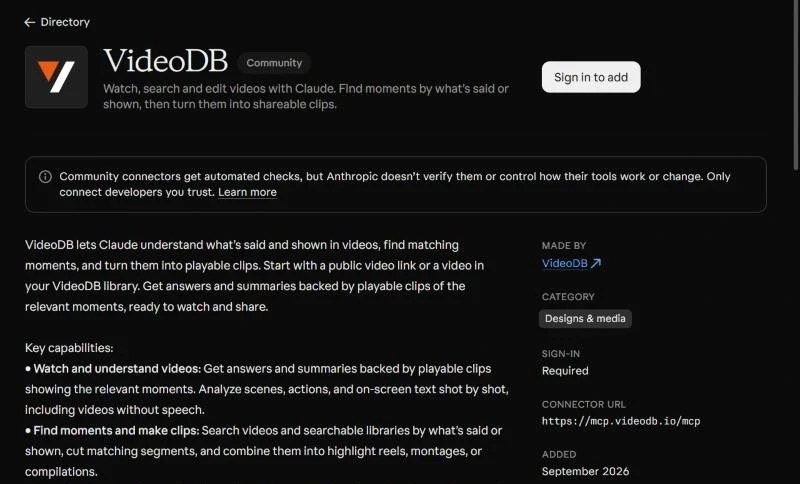
| Claude (web, desktop, mobile) | Open VideoDB in Claude’s connector directory, connect it, then sign in to VideoDB and click Authorize |
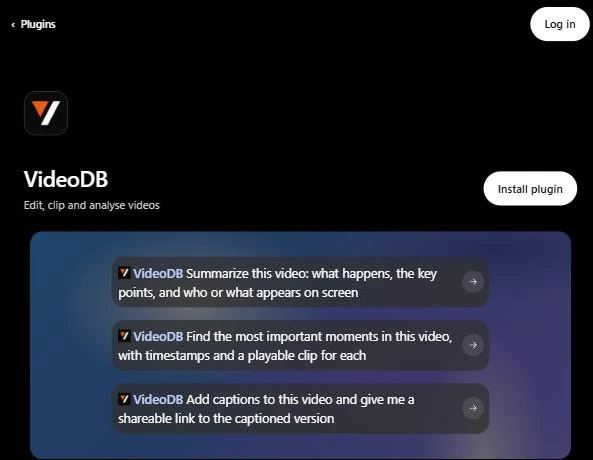
| ChatGPT | Open VideoDB in ChatGPT’s plugin directory, click Install plugin, then connect your VideoDB account |
| Claude Code | Add it as an MCP server (next section) |
| Cursor and other MCP apps | Add https://mcp.videodb.io/mcp as a remote MCP server (VideoDB’s connect guide) |
For every screen of the Claude setup, see Can Claude and ChatGPT watch videos?.
How do you add VideoDB as a Claude MCP server in Claude Code?
Run one command, then sign in. Claude Code adds remote MCP servers with claude mcp add (Anthropic’s Claude Code docs).
claude mcp add --transport http videodb https://mcp.videodb.io/mcpThen run /mcp inside Claude Code and sign in to VideoDB in your browser. To check it worked, ask: “List my VideoDB collections.”
By default the server is added for the current project only. Add --scope user to use it in all your projects.
There is also a VideoDB plugin for Claude Code, from the video-db/skills repo. It bundles the same MCP server and adds skills that teach the agent VideoDB’s Python SDK, for when you want it to write code:
/plugin marketplace add video-db/skills
/plugin install videodb@videodb-skills
Then say “setup videodb”. The coding route asks for a VideoDB API key, because the agent runs code against your account.
How do you check the connector works?
Ask one question before anything else. In a new chat, type:
List my VideoDB collections.What you get: your VideoDB collections, each with its name and ID. If the AI says it has no VideoDB tools, or asks you to sign in again, disconnect VideoDB and connect it again.
Then paste a video link and try the prompts below. Behind each answer, the AI adds the video to your VideoDB library, indexes what is said and shown, and searches that index for the moments you ask about.
What can the VideoDB connector do?
It covers six jobs, from getting a video in to sharing the result. Most of the prompts below are the examples VideoDB gives on its listings in Claude and ChatGPT. Paste a video link first, then copy one.
1. Bring video in
Paste a public video link or a YouTube link and the AI adds it to your VideoDB account. It can also search YouTube to find videos to add, connect a live camera or stream (RTSP, RTMP or HLS), and send a recorder bot to a Zoom, Google Meet or Microsoft Teams call.
Add [video link] to VideoDB.What you get: the video in your VideoDB library, ready for the next prompt.
2. Watch and describe it
The AI can describe what happens on screen, scene by scene, read on-screen text and transcribe what is said, even in videos with no speech.
Summarize this video: what happens, the key points,
and who or what appears on screen.
Break down this video shot by shot: framing, on-screen text, and pacing.What you get: a summary or a shot list with timestamps.
3. Find any moment
Search one video, or your whole library, by what is said or what is shown. Every match comes back with its start and end time.
Find the most important moments in this video,
with timestamps and a playable clip for each.
Find every time someone picks up a red object.What you get: a list of moments with timestamps, each with a clip you can play.
4. Cut, caption and reframe
Cut clips, join moments into a highlight reel, burn in subtitles, add text or images, and reframe for Shorts and Reels.
Create a 30-second highlight reel from this video.Transcribe this video and add captions.What you get: a new clip or reel, with captions if you asked for them.
5. Share the result
Every result can come back as a playable link, and you can ask for an MP4 to download.
Add captions to this video and give me a shareable link
to the captioned version.
What you get: a link you can send to anyone, or an MP4 file.
6. Watch a live feed
Connect an RTSP camera feed, have it analyzed continuously, and get alerts when something you describe happens.
Alert me when someone enters this camera feed.What you get: an alert each time it happens, with the moment behind it. Alerts can go to a webhook you set up.
Good to know before you start
The connector covers everyday video work, and a few features live in VideoDB’s SDK and other tools (VideoDB’s MCP docs list them):
- Local files start in the console. The upload tool takes public links and YouTube links. For a file on your computer, upload it in the VideoDB console, then carry on in chat.
- AI generation is in the SDK. Generating images, video, audio or music, dubbing and voice cloning are available through VideoDB’s SDK.
- Desktop capture has its own tools. Recording your screen works through VideoDB’s capture tools and agent skills.
- Start with $20 free. New accounts get $20 of free credits, no credit card needed. Uploading, indexing, search and clips all draw on those credits.
Claude, ChatGPT or Claude Code?
Use the one you already work in. The tools and your videos are the same everywhere.
| Claude app | ChatGPT | Claude Code | |
|---|---|---|---|
| Add it from | Connector directory | Plugin directory | claude mcp add or the VideoDB plugin |
| Sign-in | VideoDB in the browser | VideoDB in the browser | /mcp, then VideoDB in the browser |
| Good for | Asking about videos, clips and links | Asking about videos, clips and links | The same, plus code when you need it |
What else can you build with VideoDB?
Plenty. The connector is the quickest way in, and VideoDB’s examples and tutorials show ready-to-run projects for video search, live camera monitoring, content creation, programmatic editing and content moderation. Browse them for ideas, or hand one to Claude Code and build your own.
FAQ
What is Claude MCP?
MCP (Model Context Protocol) is an open standard that lets an AI assistant use outside tools. In the Claude apps these tools appear as connectors, and in Claude Code you add them with the claude mcp add command. VideoDB is one of them: it gives Claude tools to upload, search, clip and stream video.
Do I need an API key?
No, not in Claude, ChatGPT or Claude Code with the connector. You sign in to your VideoDB account in the browser once. An API key is only needed when a coding agent writes code with the VideoDB Python SDK.
Can the connector open videos from my computer?
Yes, in two quick steps. Upload the file in the VideoDB console, then ask the AI to work with it. From chat, the connector takes public video links, YouTube links and any video already in your VideoDB library.
Is it the same in Claude and ChatGPT?
Yes. Both use the same VideoDB tools and your same VideoDB account, so videos you add in one are there in the other. Only the way you add it differs: Claude’s connector directory or ChatGPT’s plugin directory.
Is VideoDB free to try?
New VideoDB accounts get $20 of free credits, and no credit card is needed. Uploading, indexing, search and clips use those credits.
Try one prompt now
Add VideoDB to Claude or ChatGPT, paste a video link and ask it to find the most important moments. Then ask for any moment you remember.
Next, try: Can Claude and ChatGPT watch videos? for the full setup with screenshots, or build your own video social-listening tool.